See it
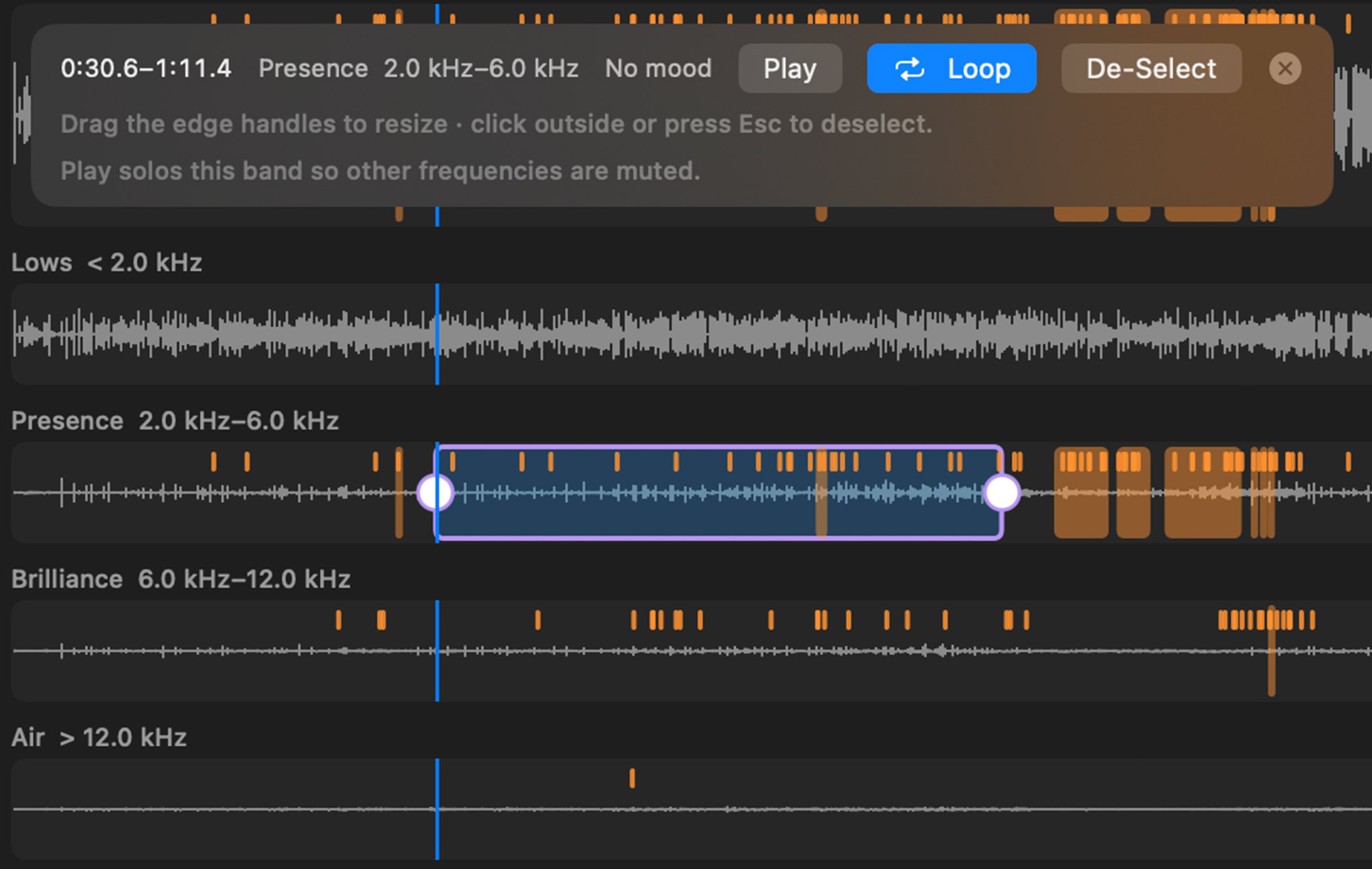
Sheen score, problem regions, and frequency lanes so "too bright" has a location. Band Solo lets you loop a range and hear one lane in isolation.

LaunchTone for Mac
Closed beta
Drop a WAV. Hear what's actually harsh. Clean the sheen, try a mood, level the album — then export a file you'd be willing to put your name on.
macOS 14+On your MacWAV in / WAV outNo DAW required
Join the beta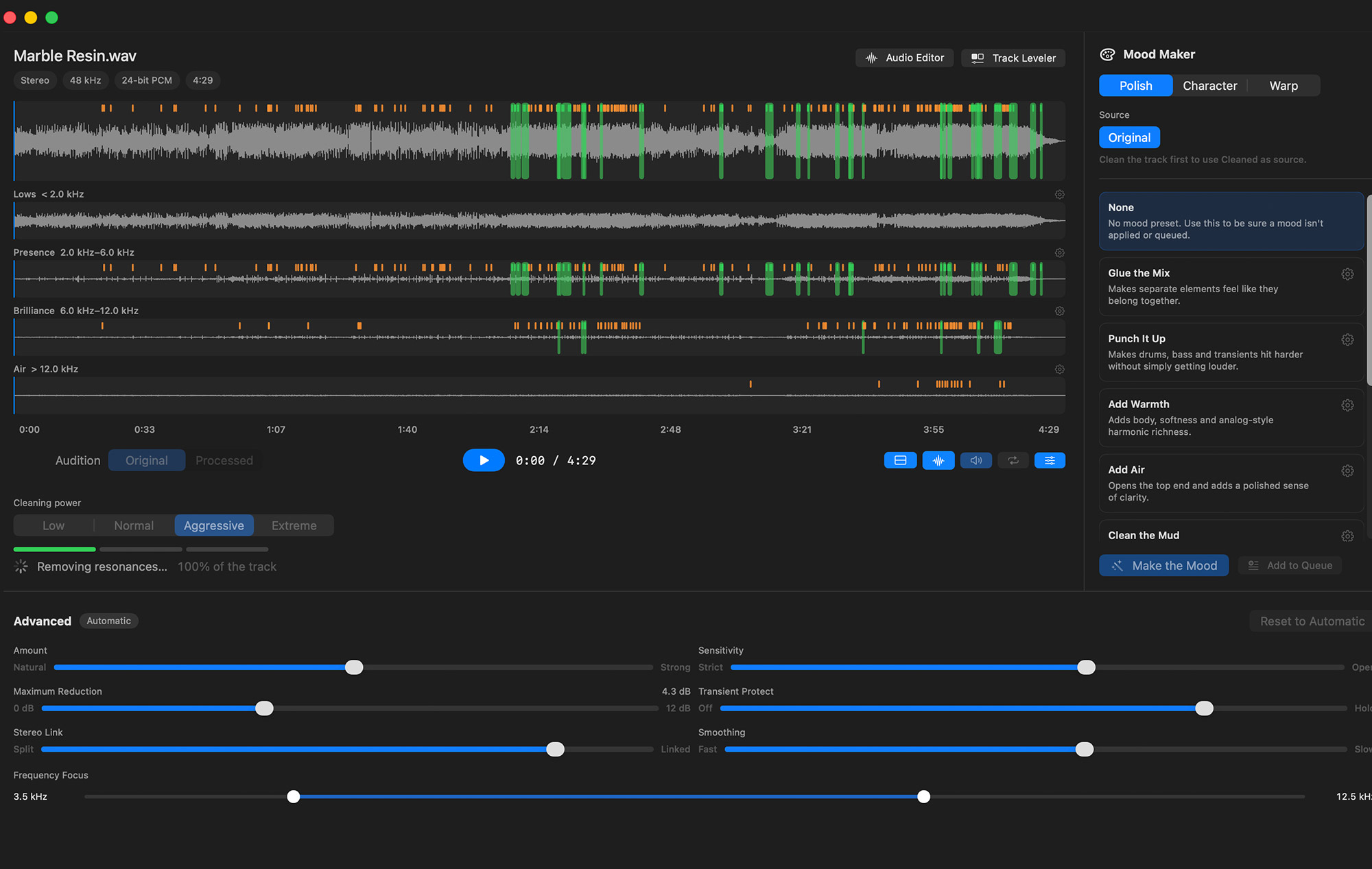
Sheen score, problem regions, and frequency lanes so "too bright" has a location. Band Solo lets you loop a range and hear one lane in isolation.
Loop a selection. Clean only the air. A/B at matched loudness. Commit when it earns it.
Print a WAV. Match album levels. Queue the rest of the EP.
The session is closed and the WAV is sitting on your desktop — bright, a little glassy, not quite ready for the world. LaunchTone is for that moment.
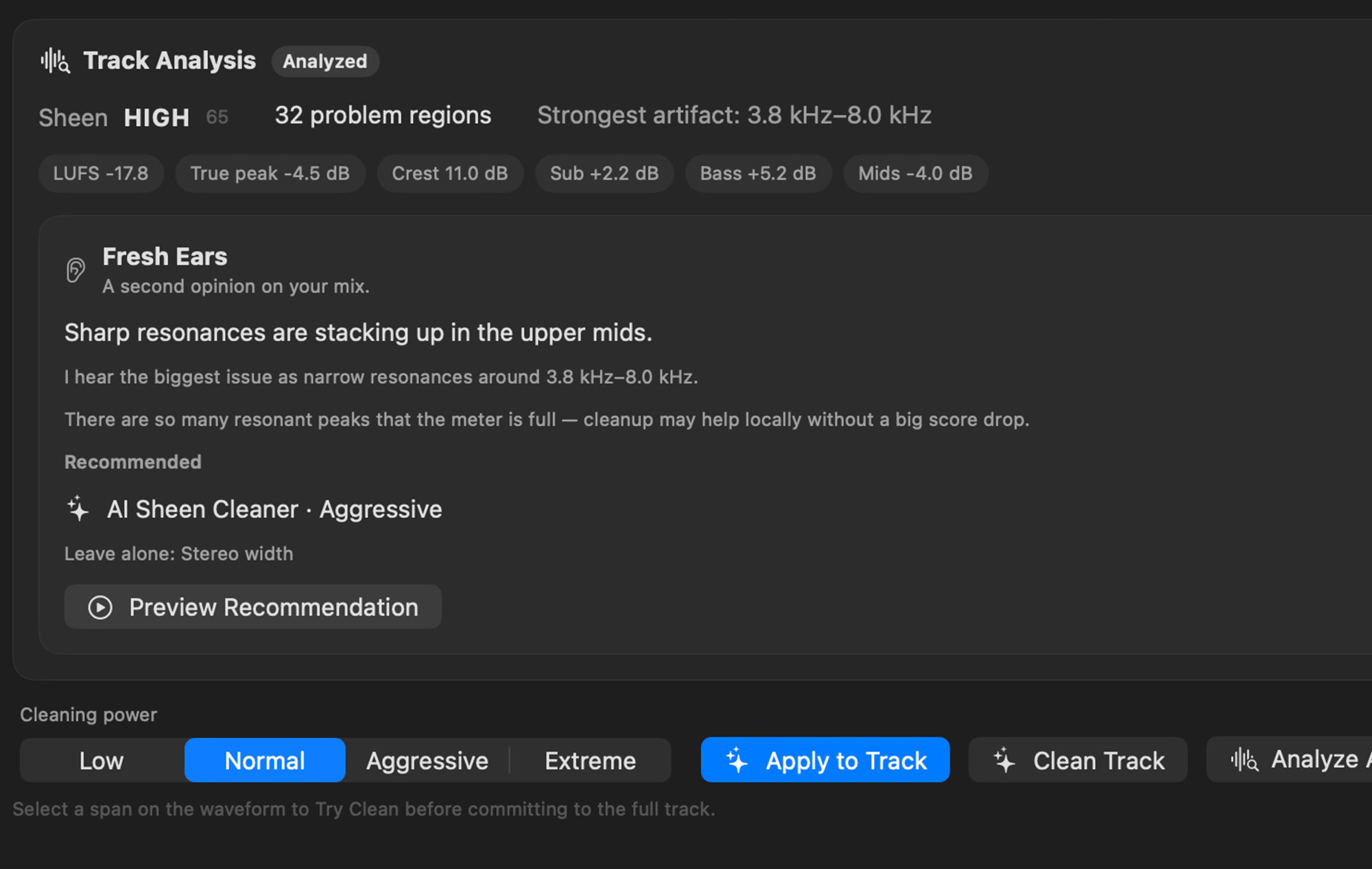
Maps glassy, fizzy high-frequency artifacts and lets you try a clean on a loop — or only on Presence, Brilliance, or Air — before you print the full track.
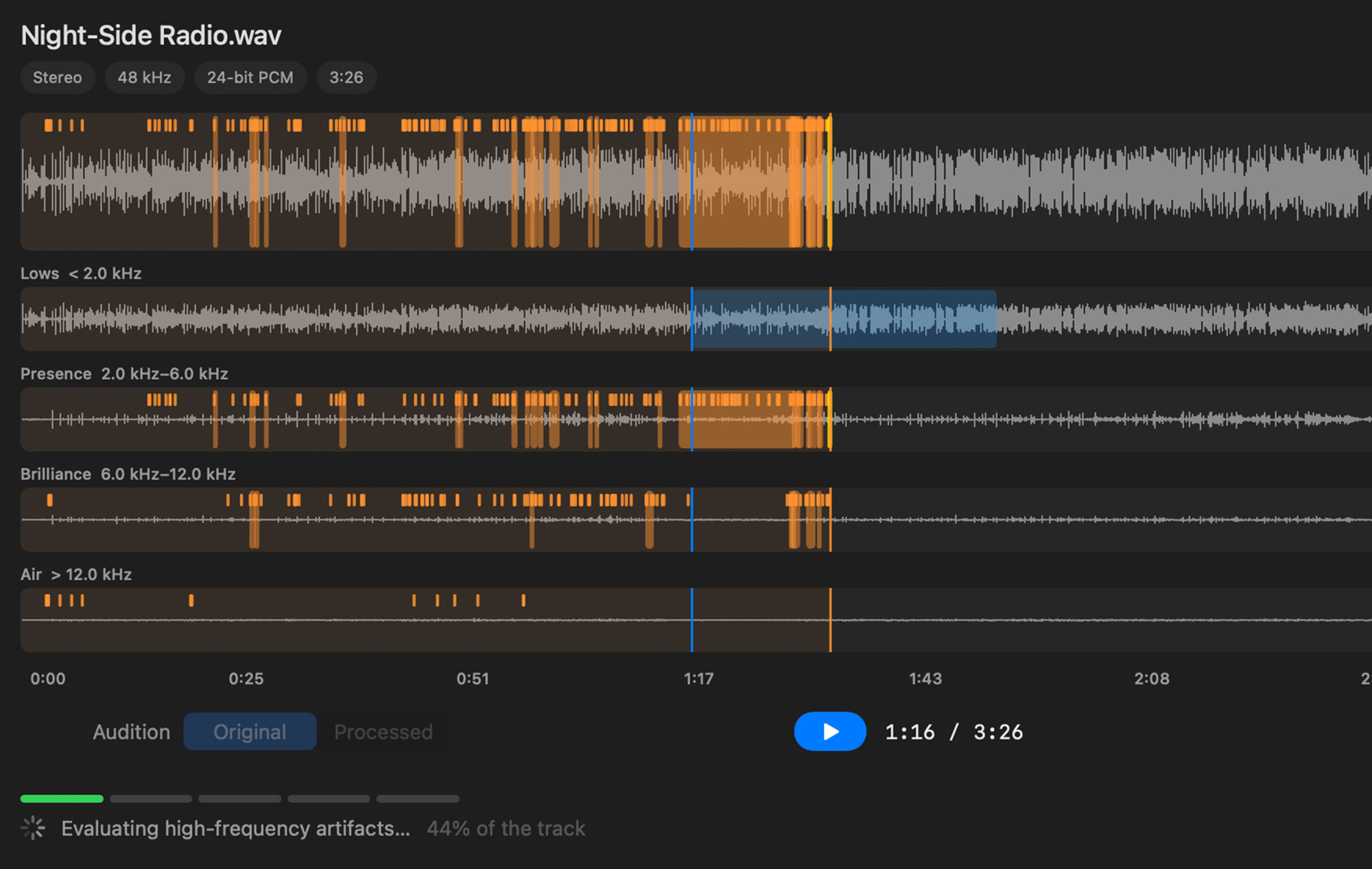
A second opinion on your mix. Recommended treatments, optional ideas, and a clear list of what to leave alone. Sometimes the honest move is to do nothing.
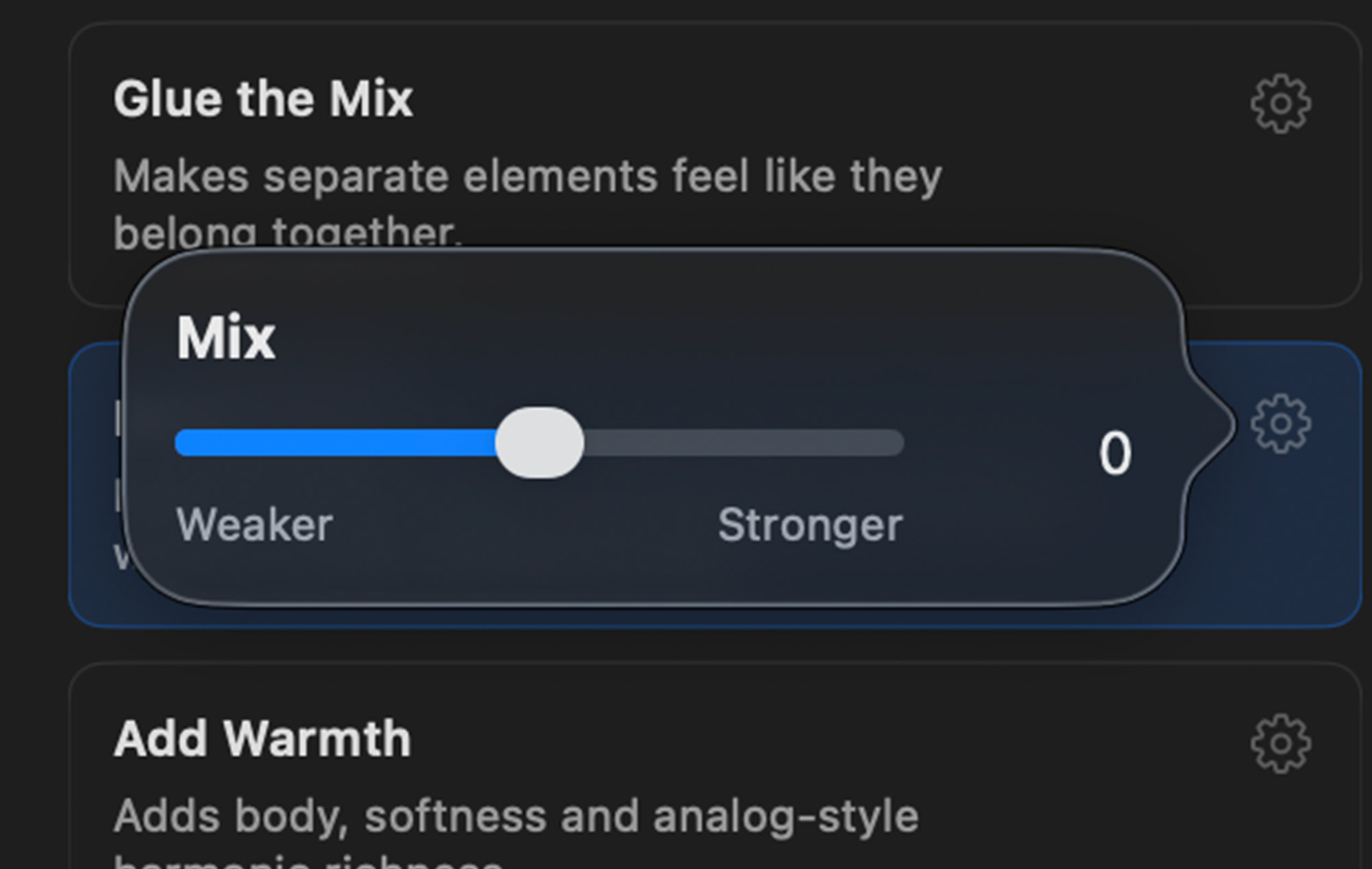
Polish, Character, or Warp. Named mix treatments you can apply to the whole song, a highlighted moment, or a single frequency band.
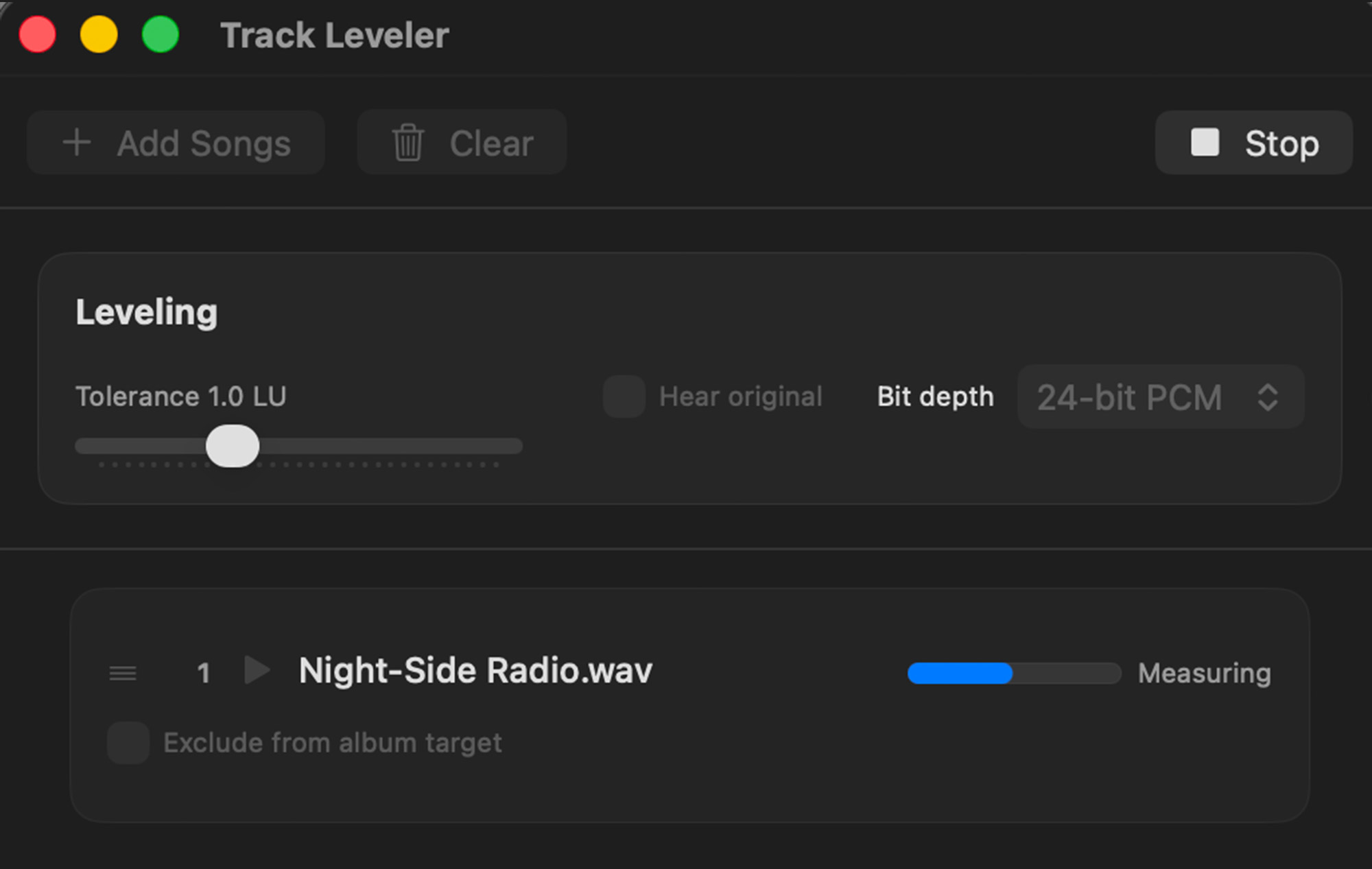
Measure your album together, propose who should come up or down, and export with a true-peak ceiling so the record feels like one record.
Loop a range and hear one frequency lane in isolation — the fastest way to confirm where a problem actually lives before you fix it.
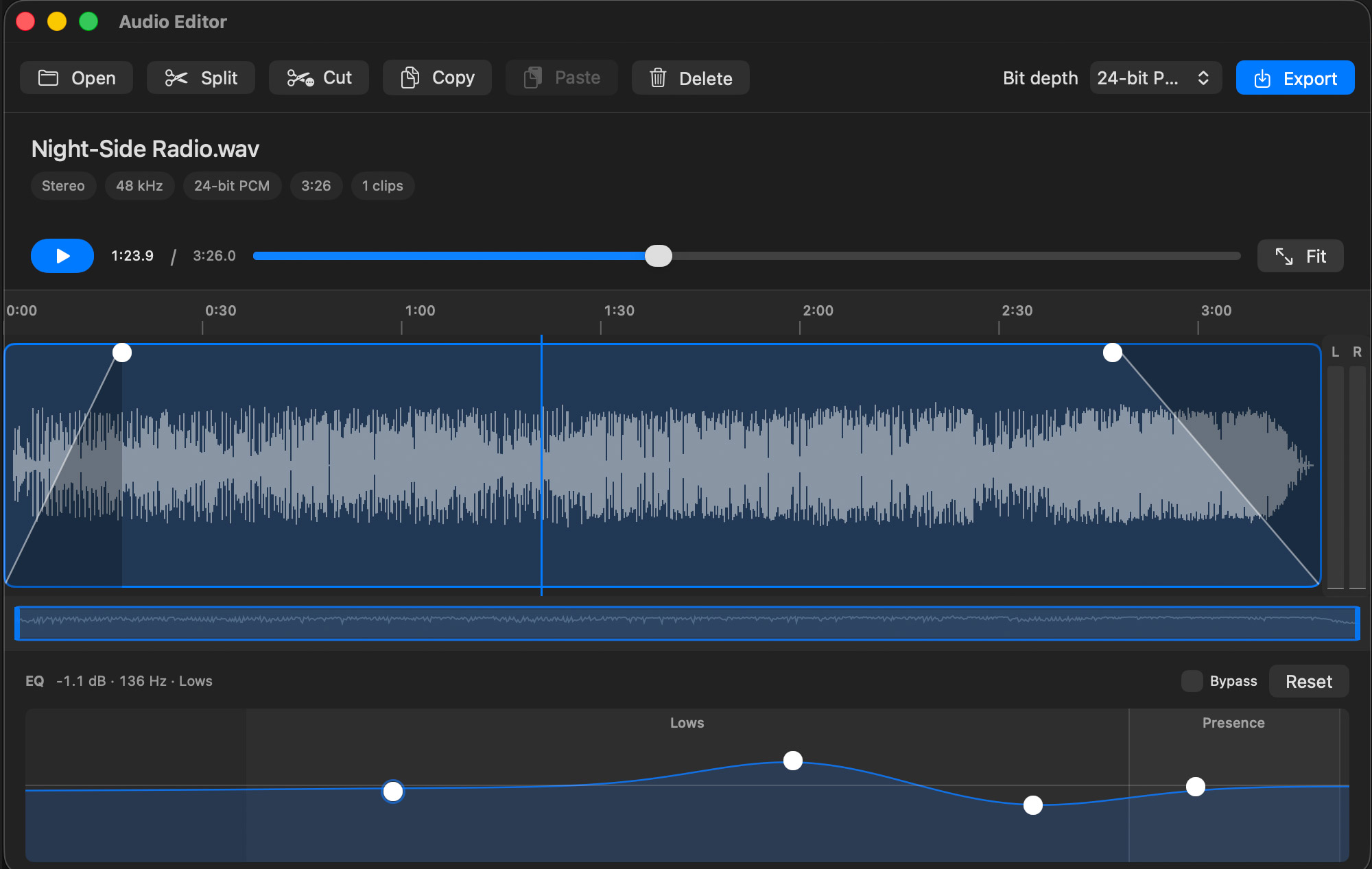
Split, fade, move, and EQ without reopening the DAW. Graphic EQ with labeled frequency ranges for the trims that shouldn't require a full session.
LaunchTone is in closed beta. We're inviting musicians and producers who bounce WAVs and need a trustworthy last pass before release.
Beta testers get the full app free when LaunchTone ships. No credit card. No cloud upload required to try the core workflow.
By 128 Ducks LLC · Music category · macOS 14+
Tell us who you are and we'll reach out when we have an opening.